
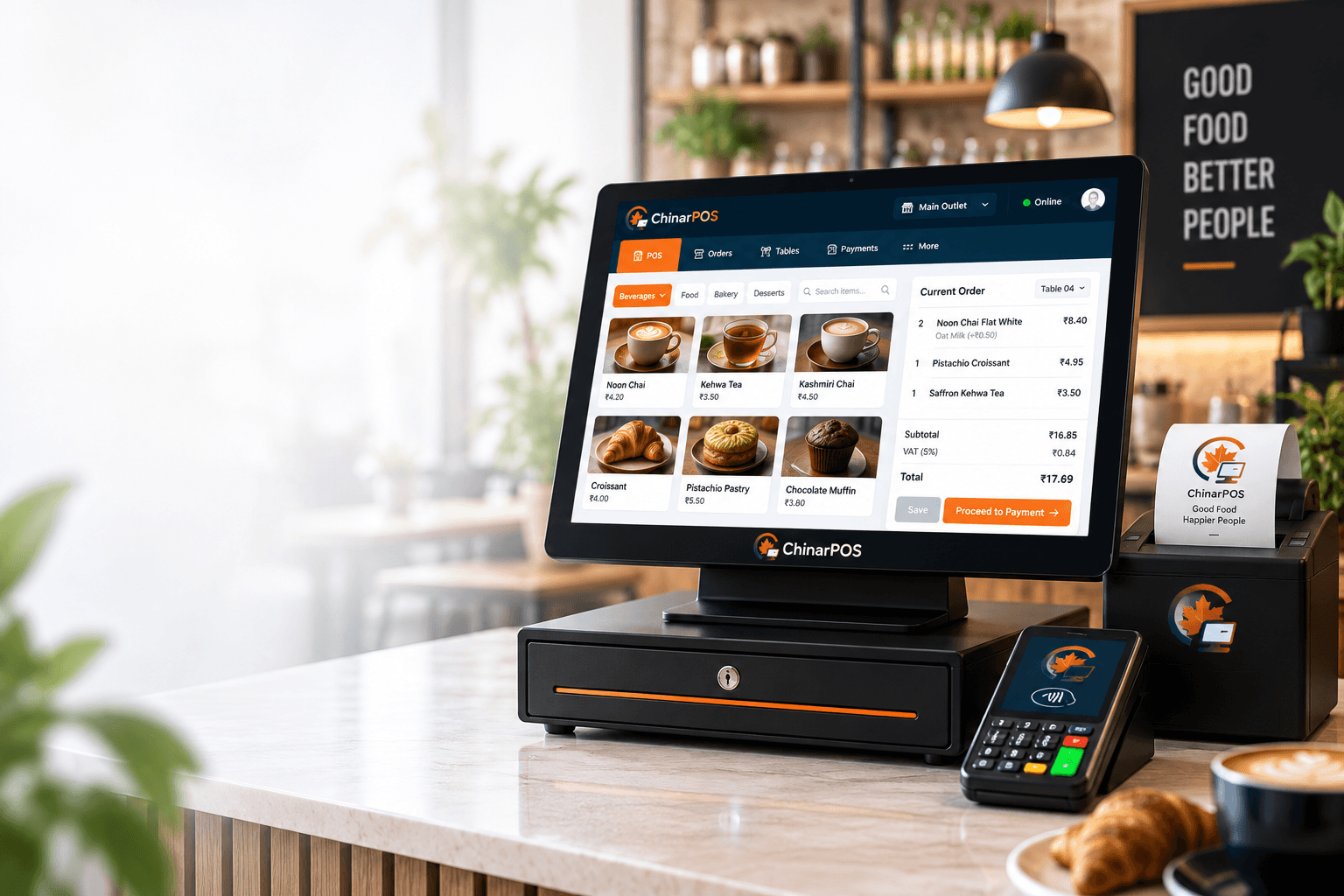
A ChinarPOS till screen on a café counter showing an order in progress, with a table number, items, a subtotal and a Proceed to Payment button
POS System Built in Jammu & Kashmir (J&K)

From the supplier's door to the guest's table.

ChinarPOS (Chinar POS) unites your till, kitchen display, table QR ordering, direct web ordering, and inventory back office into one lightning-fast platform. Built for high-volume restaurants, cafés, and retail shops.

  • Counter, QR, and web orders arrive on the same kitchen screen
  • Refunds go back the way the money came in
  • Recipes take ingredients off stock as you sell

The till runs on a Windows or Android device you already own. ChinarPOS hardware is coming soon.

What you get

Five products you can use today.

Each one does a single job. They share one menu, one set of orders and one set of reports, so a price changed once is changed at the till, on the QR menu, on your website and in your reports.

See it working

Place an order. Watch the whole business react.

Build an order at the till, send it, cook it, tell the guest, then see order history, stock and reports update. Tap through it yourself or press Play. It's all sample data.

Loading the live demo
How it fits together

Follow one order through the day.

A coffee ordered at table 4 touches five parts of your business. Here is what happens to it.

  1. 01

    The order comes in

    A cashier takes it at the till, a customer orders online via your branded web storefront, or a guest scans the table QR. All channels use the same live menu and prices.

    EPOS Till · QR Ordering · Web Ordering

  2. 02

    The kitchen sees it at once

    The order lands on the kitchen screen, each item at the station that makes it. No printing, no shouting, no walking tickets across the pass.

    Kitchen Display

  3. 03

    The guest pays

    Cash, UPI, card or net banking, store credit, or a mix. Payment status is always on the order, so nobody has to guess.

    EPOS Till · QR Ordering · Web Ordering

  4. 04

    Stock moves by itself

    Every sale reduces stock, including the ingredients in a recipe. Low items show up in Items to Reorder.

    Back Office

  5. 05

    It all adds up in your reports

    Sales, discounts, refunds, payments, tills and cost, the same orders feed every report, so the numbers agree.

    Back Office

See the full walk-through
Why it's different

Most systems stop at the till. We don't.

Everything a food business runs on is in the same place, and every part knows what the others are doing.

  • Recipe to receipt.

    Dishes are tied to their ingredients, so every sale updates your stock and shows your real margin.

  • One platform, zero stitching.

    Ordering, kitchen, stock, purchasing, team and reports share one set of facts.

  • Built for the bad days.

    Refunds, short drawers, split bills and stock-outs are handled properly, not bolted on.

See everything it does
On a real day

Four situations that test a POS.

Illustrative examples built from what ChinarPOS does today. They are not customer stories.

1 pm, and the queue is out the door

Half your guests are at the counter. The rest are sitting down, waiting for someone to take their order.

  • Guests at tables scan the QR code and order from their phones, your staff don't have to walk over.
  • Every order, from counter or QR, appears on the same kitchen board, with each item at the right station.
  • Orders running late turn amber, then red, so the kitchen sees trouble before the guest complains.

A guest says the dish was wrong

One dish on a bill of five needs to be refunded, and the guest paid by UPI.

  • You open the order and refund just that item. The amount, tax and any discount are worked out for you.
  • The money goes back to the original payment, or to store credit if the guest prefers.
  • The kitchen screen shows the item as stopped, so nobody keeps cooking it.

The drawer is ₹300 short

It's closing time, and the cash count doesn't match.

  • The till shows what it expected against what was counted, and by how much it's off.
  • Because every cash-in, cash-out and drop was recorded with a reason, you can see exactly where to look.
  • A big gap needs a manager's approval before the till closes.

Monday morning ordering

You need to restock for the week and you don't want to walk the shelves.

  • Items to Reorder lists what's low or out, with suggested quantities.
  • One click turns it into draft purchase orders, grouped by supplier.
  • A manager approves them. You send them.
Read all eight situations
Why ChinarPOS

What we built it around.

Refunds, short drawers, stock-outs and split bills are where a POS earns its keep, so those are the parts we worked hardest on.

One platform, not seven subscriptions

Ordering, the till, the kitchen, stock and recipes, purchasing, your team and your reports live in one system, so you stop stitching tools together.

From the supplier's door to the guest's table

ChinarPOS follows the whole journey: what you buy, what you cook, what you sell and what you earn.

Recipe to receipt

Dishes are tied to their ingredients, so every sale updates your stock and shows your real margin, not a guess.

Built for the bad days

Refunds, short drawers, split bills and stock-outs are handled properly, not bolted on.

All eight reasons, and eight questions to ask any POS
Who you're dealing with

A company you can check, and controls you can see.

We would rather show you facts than adjectives.

Controls built into the product

  • Every team member signs in with their own account. No shared logins.
  • Owners design roles. Staff only see and do what their job needs.
  • Large discounts, refunds and cash differences can need a manager's PIN.
  • Important actions are recorded, and owners can review who did what.
Read the security page

Who we are

Chinarpos Private LimitedCIN: U62010JK2026PTC020058Registered office: C/o Ghulam Rasool Kakroo, Prop ID SMC/011/R/008225, Lal Bazar, Srinagar, Srinagar - 190023, Jammu & Kashmir, India.Contact: support@chinarpos.com

Terms and Privacy Policy are written in plain language.

Talk to a person

We don't publish customer counts, testimonials, uptime figures or certifications yet. When we have something we can prove, it goes here.

Pricing

Free to start, with every price published.

Run one branch free forever. Pay only when you grow, and only one all-in fee when a customer pays online.

  • Basic

    Free forever

    1 branch · 10 staff users · 2.5% online

  • Starter

    ₹799 /month

    Up to 5 branches · 30 staff users · 2.25% online

  • Pro

    ₹1,999 /month

    Unlimited, run as one branches · Unlimited staff users · 1.99% online

One outlet with billing, a kitchen display and QR ordering, by provider, as published on 19 October 2026
ProviderOne outlet with KDS and QR orderingFree optionFee on online orders
ChinarPOS Basic₹0Free forever, 1 branch, 10 staff usersFree plan, no time limit2.5%, payment gateway included
ChinarPOS Starter₹799 a month₹9,588 a year, up to 5 branches, adds inventoryStart on Basic, upgrade any time2.25%, payment gateway included
Petpooja₹32,000Base Plan ₹12,000 + Operations Manager (Growth) ₹20,000, which adds the kitchen display and QR ordering. Exclusive of taxes; the page does not state the billing period and calls plans indicative.Free demo; no free plan listedNot stated on the pricing page
EZOKDS and QR ordering not listedIts store sells the Billing & Accounting App subscription from ₹4,999 (1 year, 3 years or lifetime; the price of each option isn't shown) and a billing machine with software from ₹7,999. GST treatment not stated.No free plan or trial mentionedNot stated
GoFrugalNot publishedIts pricing page lists plan names without amounts and asks you to contact presales.30-day free trialNot published

From each provider's own website, checked 19 October 2026. Prices exclude GST. Names are trademarks of their owners; ChinarPOS is not affiliated with them.

Full comparison and sources
See plans, add-ons and the Founding 10 offer
Questions

The basics, answered plainly.

What is ChinarPOS?+

ChinarPOS is one connected system for running a restaurant, café, bakery or shop: a till for taking orders and payments, a kitchen screen, QR ordering for guests, and a Back Office for menu, stock, team and reports.

What do I get?+

Five products that work together today: the EPOS Till, the Kitchen Display, QR Ordering, Web Ordering, and the Back Office. Handheld mPOS with tap-to-pay, a white-label ordering app, an Employee App and ChinarPOS Hardware are Coming Soon.

Who is it for?+

Restaurants, cafés, quick-service counters, bakeries, retail and grocery stores, and businesses with more than one branch.

Do I need to buy special devices?+

No. The till runs on a Windows or Android device you already own, the kitchen screen runs on an Android tablet, QR ordering runs in your guests' phone browsers, and Web Ordering runs on your custom domain in any browser.

How do online payments work?+

Guests can pay by UPI, card or net banking at the till or through QR ordering. Online payments run through our payment partner and are settled to the account you set up with them; their charges are separate from your ChinarPOS subscription.

How long does it take to get started?+

Create your account, add your business and branch, and build your menu. We'll walk you through the rest: talk to us and we'll set it up with you.

Ready to try it in your own business?

Set up your business yourself, or book a demo and we'll walk through it with you.

Prefer to talk? Call or WhatsApp +91 94693 83765